
Housekeeping for a laptop or a desktop
30 August 2026 · by Sharath · for parents · 3 min read
A laptop nobody tidies fills up and refuses to install anything on the morning you need it. Here is the thirty minute clean if you have never done it, and the daily, weekly and monthly habit that stops it coming back.
A laptop, a desktop or a Mac (all called a laptop from here on) that has never been tidied does not fail politely. It fills up, it gains fat, and then it refuses to install the thing you need on the morning you need it. Ten minutes a week of laptop fitness keeps it off, on Mac and on Windows.
If you have never done this
Find where the space actually went
Deleting a hundred small files gains you nothing. One forgotten video gains you ten gigabytes. So look first.
Mac, macOS 13 and later. Apple menu, System Settings, General, Storage.
Mac, macOS 12 and earlier. Apple menu, About This Mac, Storage, Manage.
Windows. Settings, System, Storage, then Show more categories.
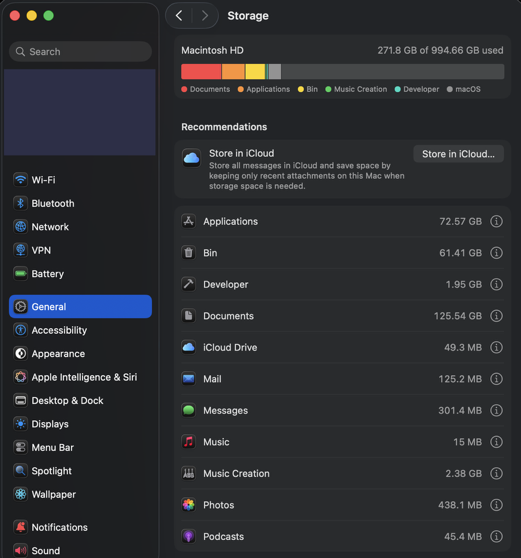
Each shows one bar split into categories: Applications, Documents, Photos, Videos, Other. Open the biggest first and work down it. Anything you have not opened in a year and could download again is fair game. Never delete anything called System or Library, even when it is the largest bar on the screen. That part is the machine itself.
Next
Set a timer for thirty minutes. You are not sorting everything today. You are building the shelf.
- Make five to ten folders inside Documents. For example:
School,Work,Family,Projects,Photos,Money,Videos,Old,Not-Sure,Future-plans. - Select everything on the Desktop and drag the lot into
Old. All of it. The Desktop should end up empty. The Desktop is for quick access, so think of it as a remote control: too many buttons and nobody finds the one they want. - Do the same to Downloads. Downloads is the entrance where files arrive, not the living room, and not a cupboard.
- Empty the bin, or nothing you just moved actually frees any space.
- Check your free space. Under 10 percent free is a problem for today.
- Pull ten files out of
Oldinto the folder they belong in. Only ten. Then the next ten, and the next ten, until the timer runs out.
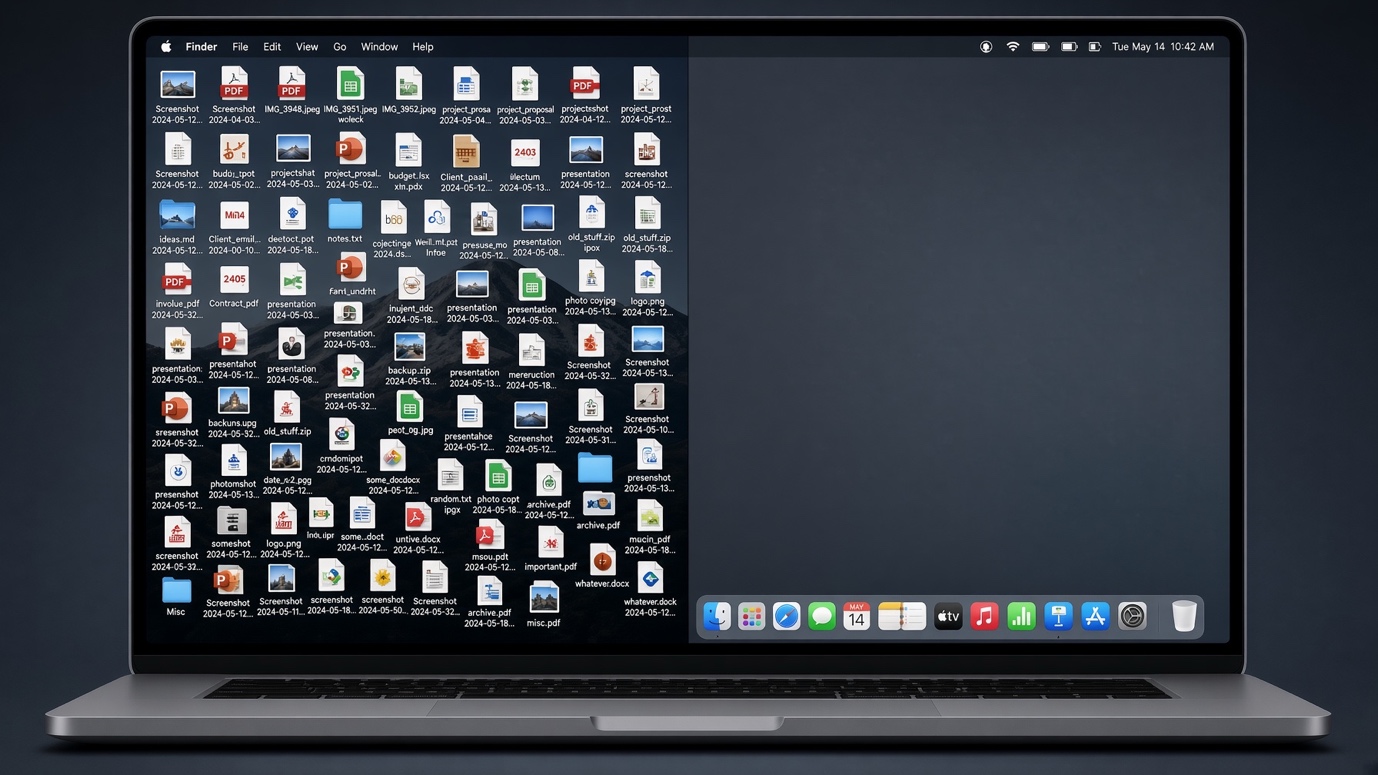
That is the whole clean. Old is the trick: it lets you tidy without deciding anything, and you rescue files as you miss them.
Sorting, so the machine does the work
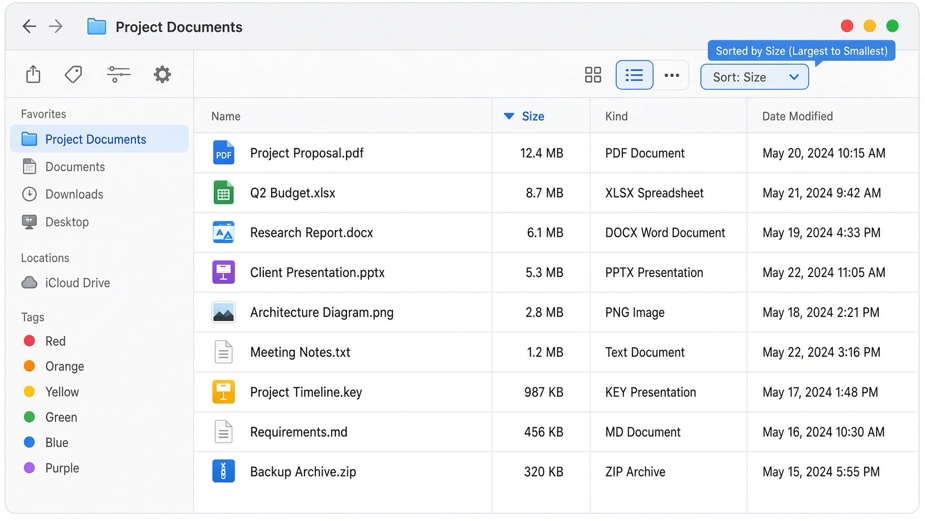
Switch the window to a list, then click a column heading to sort by it. Sort by Size to find the monster. Sort by Date Modified to find what you touched last. Anything over a gigabyte is usually a video you have already posted somewhere.
Once it is clean
Every day, one minute. Today's files go into their folder. Desktop empty before the lid shuts.
Every week, five minutes. Empty Downloads. Empty the bin. Rename anything still called Untitled or image (3).
Every month, fifteen minutes. Check free space. Sort by Size and delete the three biggest things you do not want. Rescue ten more files from Old. Check that your backup actually ran, rather than assuming.
Do this with a child rather than for them. A tidy laptop is not about being neat. It is about finding the thing you made, a year after you made it.
Zaalyo is a small Saturday coding school. Ask for a place, or read the others.